
Documentation
Connect your network to Flowguard
A short guide to the whole path: from flow export on the router to reading the charts.
Getting started
- Create the account and confirm your email with the link sent.
- In Exporters (Exportadores), register each router or BNG by the source IP of its flows.
- Configure the export on the device (next section) and follow the arrival in “Test and status” (Teste e status).
- In Prefixes (Prefixos), register your network's prefixes. After verification, traffic is split into inbound and outbound.
- If the device exports on both ends, mark the upstream interfaces.
Flow export
The destination and UDP port are sent by email when you register the exporter. Export can be direct or through a VPN, GRE or L2TP tunnel.
- Packets must leave from the IP registered on the exporter; packets from another IP are dropped by the collector firewall.
- sFlow: the agent-ip configured on the device must be the same as the registered source IP.
- Enter the sampling rate at registration when the device does not send it in the flows.
- NetFlow v9 and IPFIX depend on templates: the first flows may wait for the device to send the template.
Prefixes
Each registered prefix goes through an ownership check by the Flowspec team. Only verified prefixes split traffic into inbound (destination in your prefix) and outbound (source in your prefix) and can be a mitigation target. Private and CGNAT blocks (RFC 1918 and 100.64.0.0/10) can be registered to split direction, but are never announced.
Interfaces and SNMP
Devices that export on both ends of each interface count the same traffic twice. On the exporter test page, mark transit and IX interfaces as upstream: then inbound and outbound count only what crosses the edge.
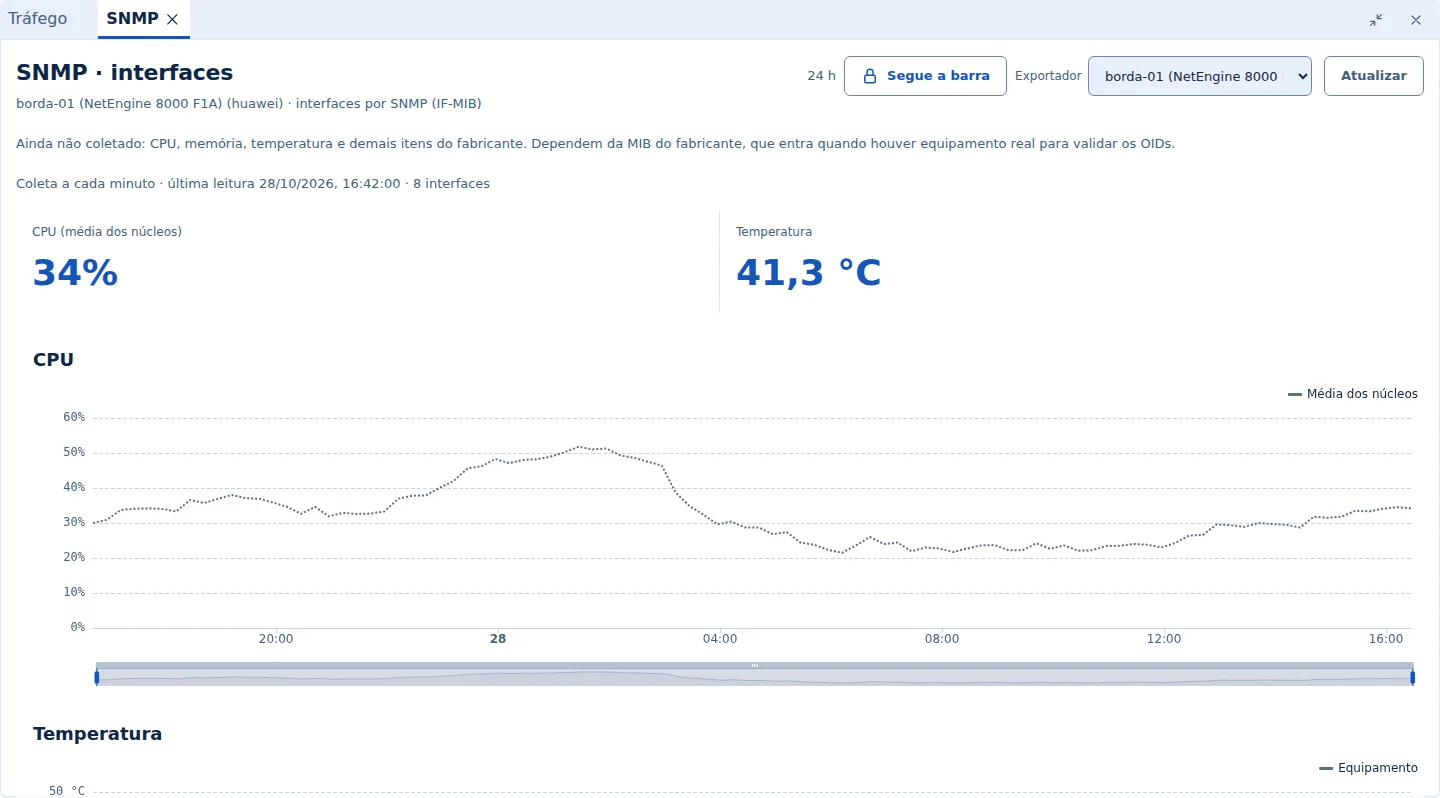
With SNMP v2c configured, the dashboard reads interface names (IF-MIB) every 5 minutes. The device must accept SNMP from the query source, sent in the same registration email. On MikroTik, flows are assigned to VLANs, not physical ports: mark the upstream VLAN.
Reading the data
- Rates in bits per second (bps, kbps, Mbps, Gbps) and amounts in bytes (B, KB, MB, GB, TB), base 1000.
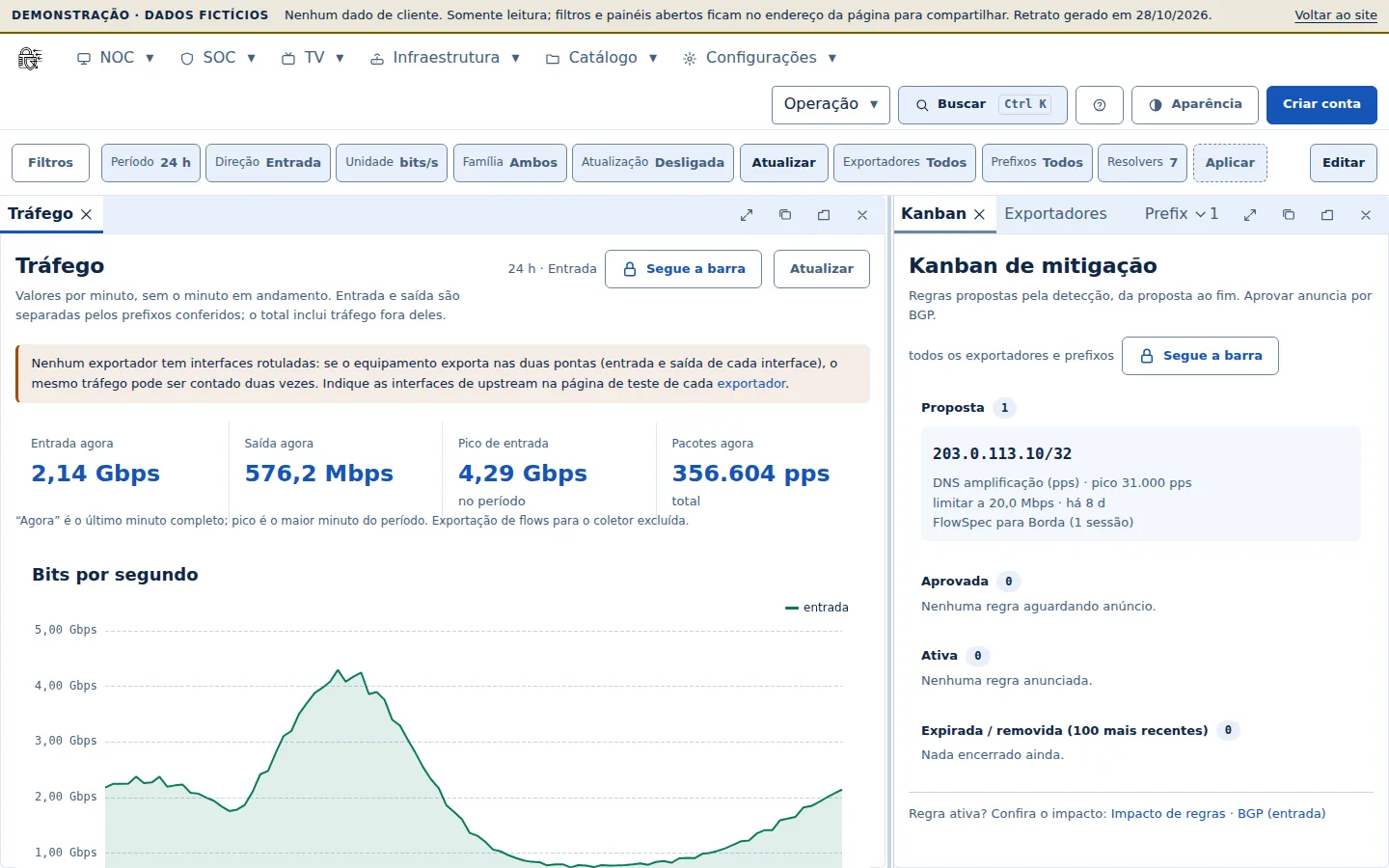
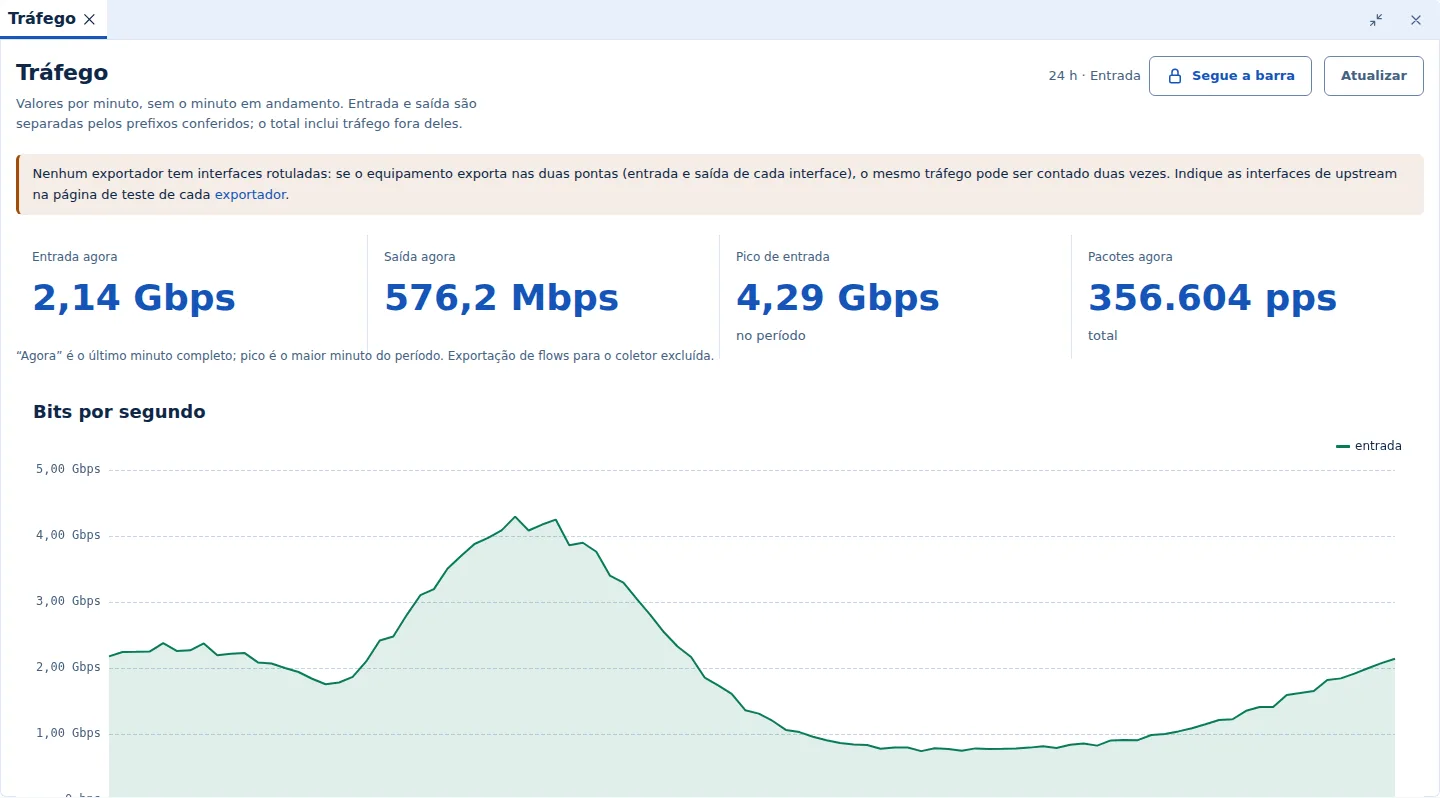
- Charts show per-minute values and do not include the minute in progress.
- The source ASN comes from the full BGP table of AS61620, with the organization name; private and CGNAT addresses appear as “unresolved”.
- The interface counter can be higher than the sum of flows: bridged traffic (layer 2) and interfaces outside the export do not generate flows.
The dashboard screens
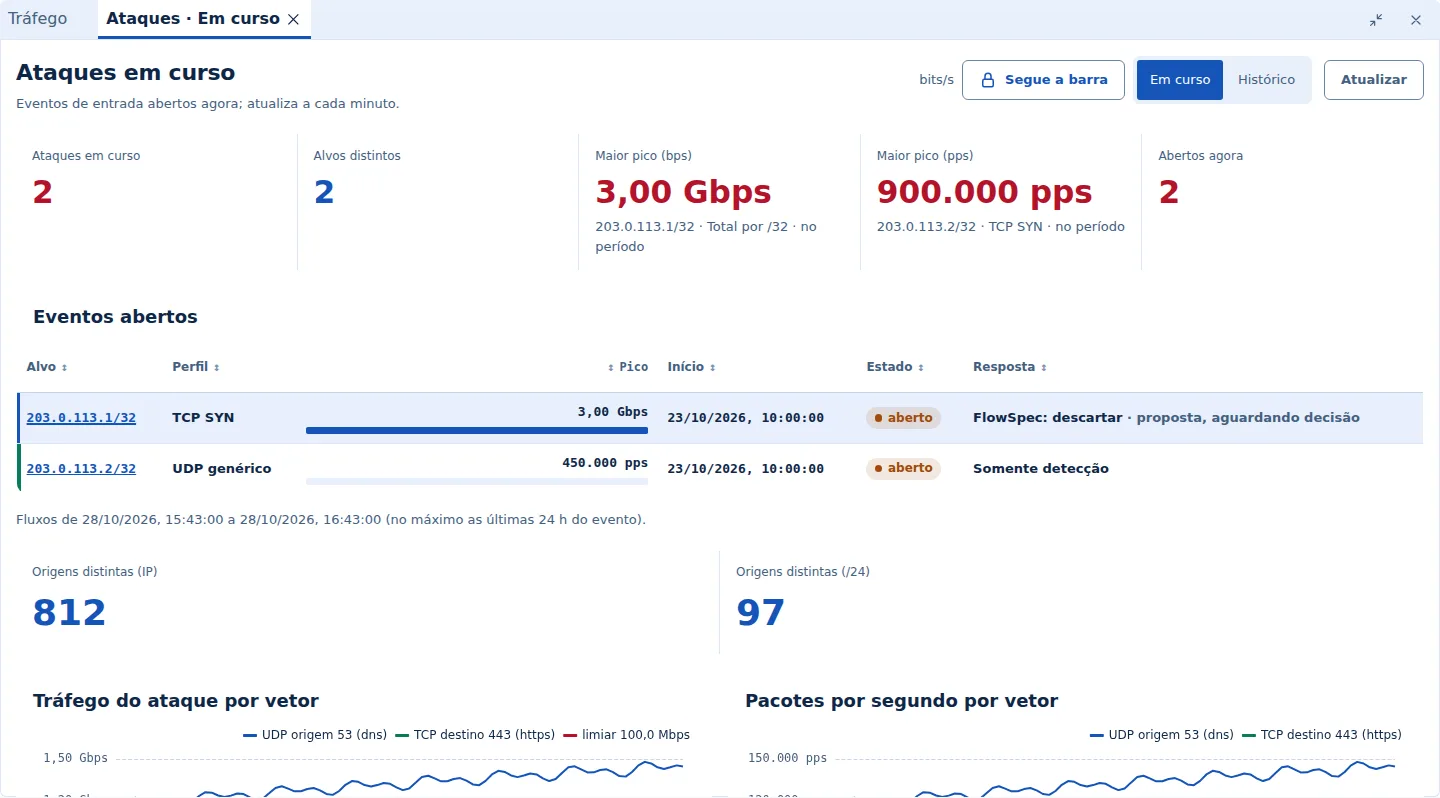
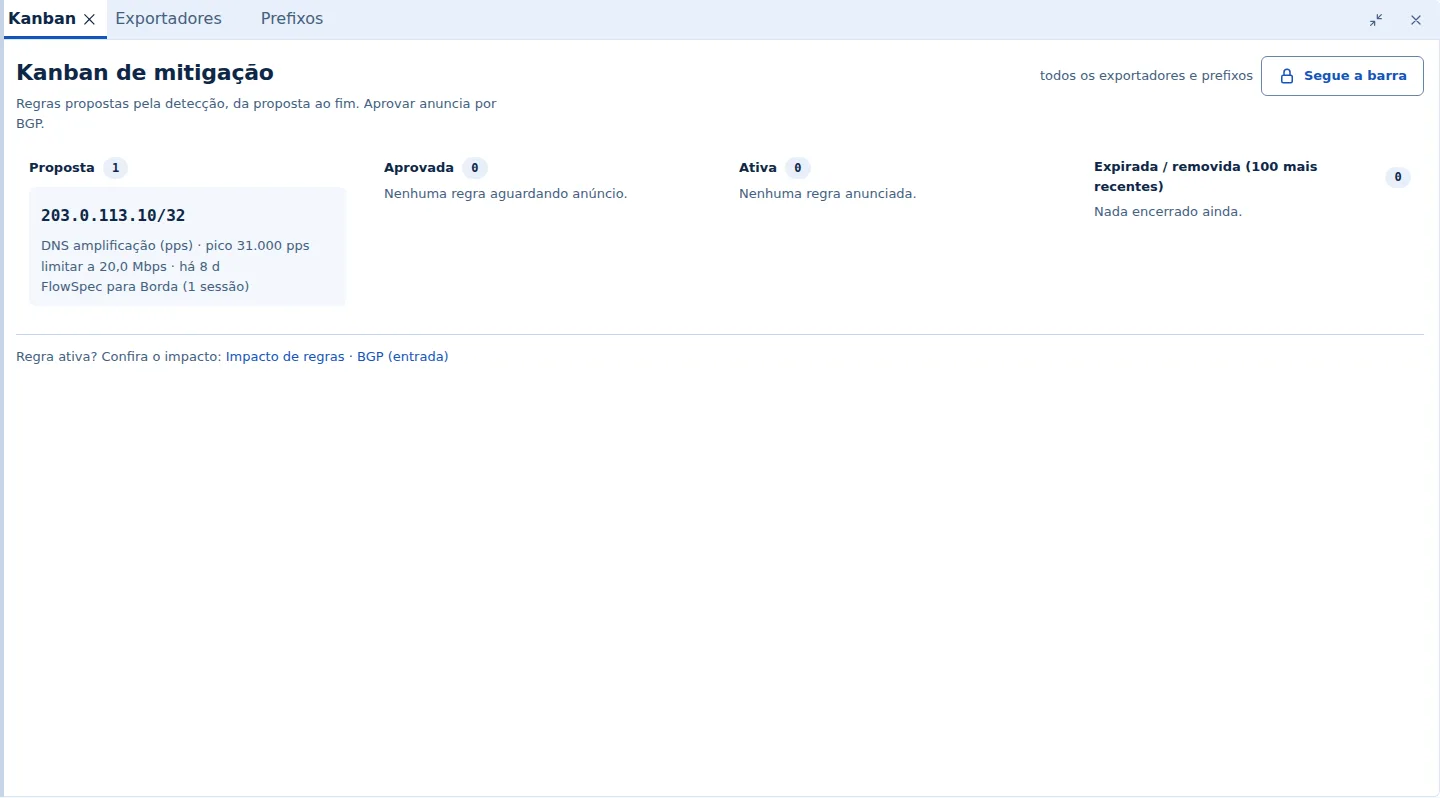
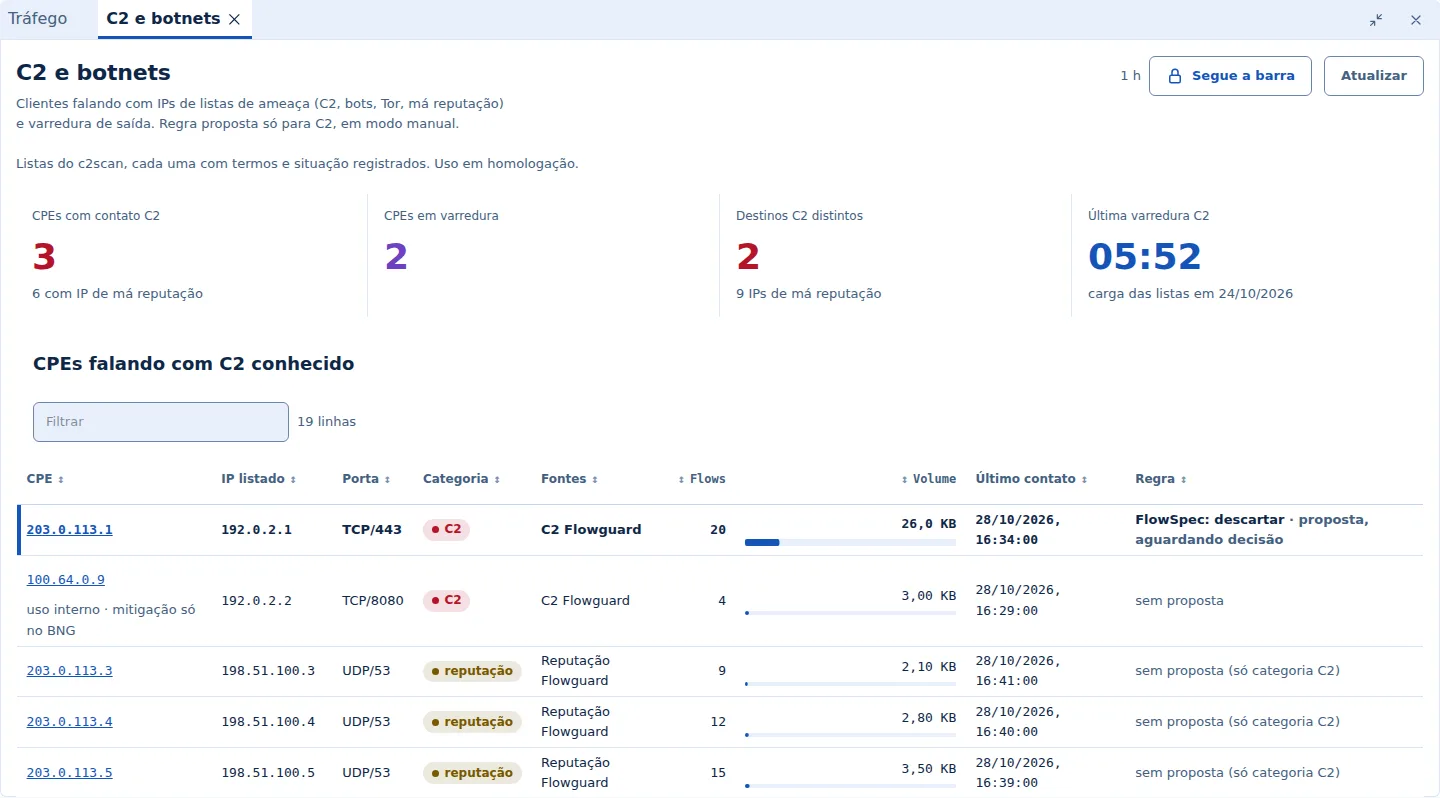
Screenshots from the demo, with fictitious data and documentation addresses. The demo opens the same screens, navigable.
Mitigation
FlowSpec rules and RTBH routes are delivered over a BGP session with AS61620, always restricted to verified prefixes. Your router applies the FlowSpec rule as a filter (ACL).